
Sessions and limits
Designing in VanCAD is free, and the whole feature set is free. What the free tier limits is how much designing one sitting gets you and whether you can keep a design: a free session gives you 30 minutes of editing time, after which the design is locked and held for you, and saving, loading and syncing designs across devices are subscriber features.
The timer counts editing, not the clock on the wall. It runs while you are designing and stops when you are not - when you leave the editor, while a tutorial is running, while you are in the custom-object editor, and while the tab is in the background or your machine is asleep. Going away to measure your actual van does not cost you anything.
Starting a new build is always free. The boundary is on keeping a design, not on getting at one.
The session timer
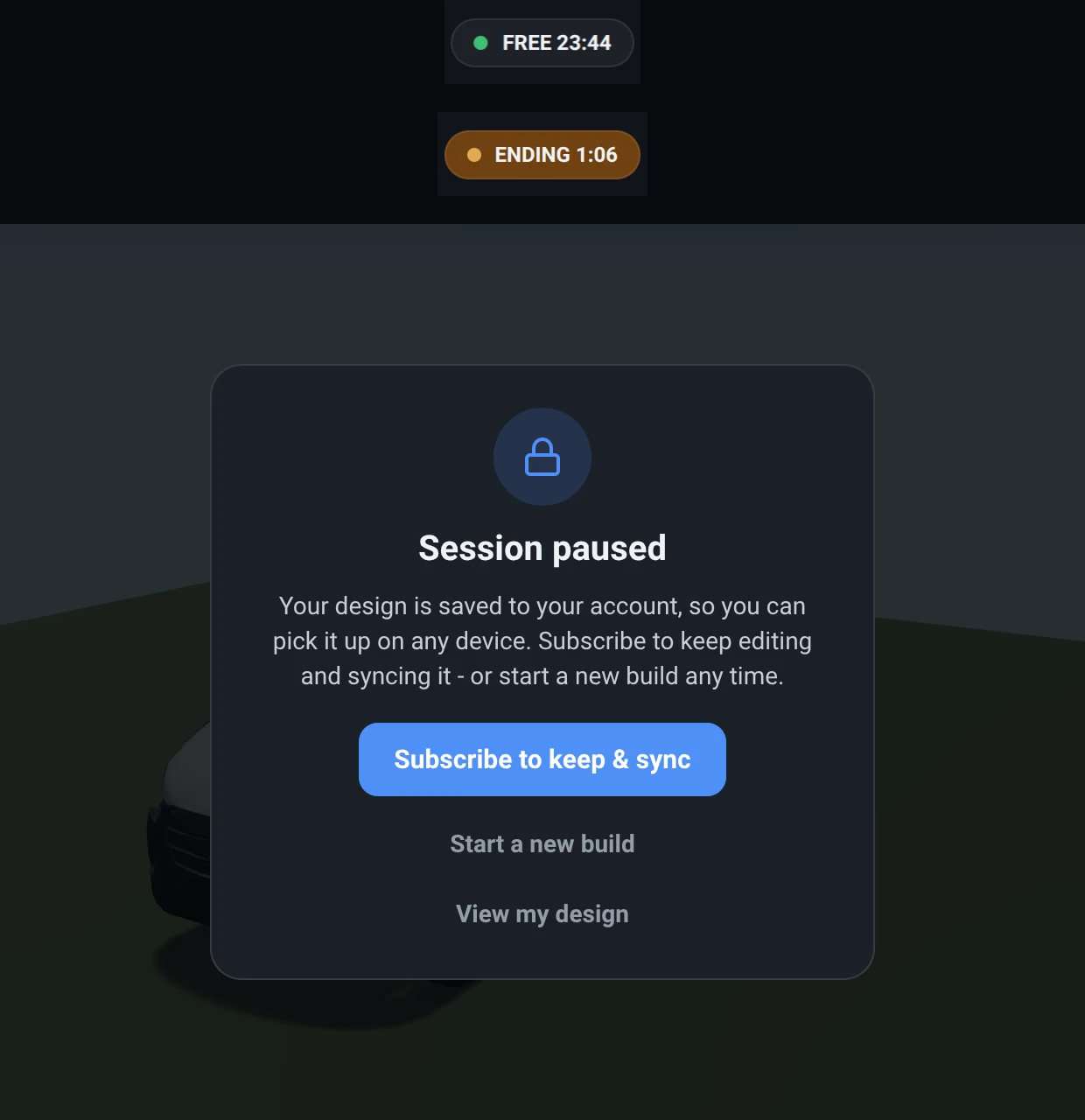
Section titled “The session timer”What it is. The pill at the right-hand end of the toolbar. On a free account it reads FREE
followed by the editing time remaining, counting down every second you are designing; in the last two
minutes it turns amber and reads ENDING. With a subscription it reads PRO - no limit and counts
nothing.
What it does. Tracks the 30 minutes of editing time a free design session gets. Pressing it explains where you are and offers the upgrade.
Options and limits. The clock counts only the time you spend designing, so it holds still whenever you are doing something else: on the van picker or the demo gallery, while a tutorial is running, while you are inside the custom-object editor, and while the tab is in the background. So neither learning the app nor building a component nor stepping away costs you build time. It is a budget for one design rather than a daily allowance: reloading the page does not grant you a fresh 30 minutes, because the time you have already used is held with the design.
What it affects. Nothing in the design itself. It decides when the session ends.
When the session ends
Section titled “When the session ends”The design is not deleted. Editing stops, and an overlay says the session is paused, offering three ways on:
- Subscribe to keep and sync - you keep the design you were working on, and it syncs to your account so you can pick it up on another device.
- Start a new build - free, as many times as you like, on any base van.
- View my design - close the overlay and go on looking at what you built.
Your locked design is held on your account rather than only in this browser, so it survives a reload, a cleared cache, and a move to another machine. If it could not be held for some reason - you were offline at the moment the session ended, for instance - the overlay says so plainly instead of promising something it cannot deliver.
The paused-session banner
Section titled “The paused-session banner”What it is. The small card at the top right, below the toolbar, once you have closed the paused overlay with View my design. It carries the same two ways on, and pressing its heading brings the full overlay back.
What it does. Marks the design as read-only while leaving it on screen. You can orbit, pan and zoom, open the objects list, select an object and read its size, mass and cost, switch between metric and imperial, and change anything about the view - none of that changes the design. Everything that would change it is greyed out.
One thing that keeps working: the state switches, both a group’s own states and the whole-van ones. Swapping between the bed made and folded is choosing which configuration of your design to look at rather than editing it, so it stays available. Creating, renaming and deleting states does not. The view options - auto-rotate, the ground and sky, the paint finish, the sliding-door outline, the wiring and plumbing filters - all keep working too, for the same reason: none of them changes the design.
So does opening the van up to look inside. In the Van menu, the show/hide tick-boxes still take the roof, walls, floor and doors off, and the sliding door still slides open - a paused design you can only see the outside of would not be worth leaving on screen. The rest of that menu is greyed, because each of those does change what you have built: the steering side, the passenger seats, which side the sliding door is on, the van model, its dimensions, and the shell finish.
Options and limits. If you try to edit anyway - press a greyed control, drag the move gizmo, use a keyboard shortcut - the banner flashes red rather than silently doing nothing. Reloading the page brings back the full overlay, since the banner is a choice you make each visit rather than a setting.
What it affects. Nothing in the design. The design is frozen exactly as the session left it.
What a subscription changes
Section titled “What a subscription changes”- No session timer. Sessions are untimed.
- Save and load, with cloud sync. Designs are stored on your account and open on any device you sign in on.
- Your own library of custom objects, reusable across designs.
Everything else - the whole van library, the catalogue, grouping, states, wiring and plumbing, openings, the bill of materials - is in the free tier.
Related
Section titled “Related”- Saving, accounts and billing - signing in, saving, and managing a subscription.
- Tutorials and help - the tutorials that pause this clock.