
Light and dark
VanCAD is dark by default. If you would rather work in a light interface - a bright room, a projector, or simply a preference - one switch re-colours the editor around your design.
Light / Dark
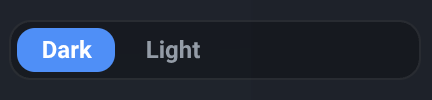
Section titled “Light / Dark”What it is. A two-option switch at the top of the toolbar’s Settings menu, under Theme. On a narrow window Settings moves into the More menu and the switch goes with it; on a phone or tablet layout it is always there. Wherever it appears, it is the same setting - including on the demo explorer, where it is a switch on the bar itself.
What it does. Re-colours the interface around your design: the toolbar, the menus, the Object List and Inspector docks, the catalogue, the side panels and the dialogs. Dark is the default, and the app opens dark until you choose otherwise.
Options and limits. Two things do not follow the theme, and both are things you would rather it left alone.
The 3D view does not follow the theme. Its ground and sky are yours to pick further down the same menu, under Scene, and the default is already a bright one - grass under a clear sky - so the view looks the same in both themes. That is deliberate: the scene is your design, not the app’s chrome, and the environment is a choice you have already made. If you want a darker view, change the sky rather than the theme. The navigation cube at the bottom-right is part of that view, which is why it stays pale in the dark theme; the small Home button just above it is part of the app around the view, so it does follow, turning white with a dark icon in the light theme.
Colours that mean something also stay put. The van’s paint, an object’s own colour or texture, and the coloured category dots in the catalogue are all content - they identify a thing, so they read the same either way.
What it affects. Nothing about your design. The theme is not stored in the design, does not appear on the undo stack, and is not part of what gets saved - a design saved in light opens in whichever theme the app is showing at the time.
The choice is remembered on the device you made it on, so the app opens in your theme next time. This is where it differs from the unit switch, which starts fresh in metric on every visit. Remembering it means storing one small value in your browser; it is a display preference, not analytics, and nothing about it identifies you. It is stored per device and per browser, so switching to light on a laptop does not change how the app opens on a phone, and clearing your browser’s site data resets it to dark.
Related
Section titled “Related”- The Settings menu - where this switch lives, and what else is in there.
- Metric and imperial - the other display switch beside it, and the one that is not remembered.
- The Visuals settings - the ground and sky behind your van, which the theme deliberately leaves alone.